Check how large your image can print
Choose a photo or enter its pixels. Set a print size to check effective PPI, compare cropping with margins, and see the pixels you need.
Start with your image
Up to 40 MB and 40 million pixels. Or enter dimensions below.
{{ imageFile.name }} · dimensions read from the image
Reading image dimensions…
Set the print size
Set the printable image area, excluding any printer margins. The preview is a framing guide, not a physical-size proof.
{{ error }}
Will it have enough pixels?
Choose an image or enter its pixel dimensions to see the effective resolution at your print size.
{{ calculation.error }}
{{ result.meetsTarget ? 'Meets your pixel-density target' : 'Below your pixel-density target' }}
{{ result.sourceWidth.toLocaleString() }} × {{ result.sourceHeight.toLocaleString() }} px at {{ physical(result.widthInches) }} × {{ physical(result.heightInches) }}
Target: {{ number(result.targetPpi) }} PPI
Calculation uses the pixels entered.
{{ number(result.cropFraction * 100) }}% of source area falls outside the centered crop. Visible source: {{ number(result.visibleWidth) }} × {{ number(result.visibleHeight) }} px.
Image area: {{ physical(result.imageWidthInches) }} × {{ physical(result.imageHeightInches) }}. Margins on each side: {{ physical(result.marginXInches) }} horizontal, {{ physical(result.marginYInches) }} vertical.
- Pixels to fill this print at {{ number(result.targetPpi) }} PPI
- {{ result.requiredWidth.toLocaleString() }} × {{ result.requiredHeight.toLocaleString() }} px after cropping
- Whole image at {{ number(result.targetPpi) }} PPI
- {{ physical(result.maxWidthInches) }} × {{ physical(result.maxHeightInches) }}
This checks pixel density only. Focus, compression artifacts, color, paper, bleed, and viewing distance also affect the print.
Preparing printable art for buyers? Check print sizes, aspect ratios, and Etsy digital download limits.
How do you calculate print PPI?
Divide the image’s pixels by the inches occupied by that image on paper. A 1,200 × 800 pixel image printed at 6 × 4 inches has 200 PPI on both axes. A 300 PPI target needs more pixels or a smaller print. Resolution metadata alone does not add image detail. Adobe: printed image resolution (updated 23 February 2026; checked 5 September 2026).
Why does cropping change the result?
A 1,200 × 800 pixel image fits a 4 × 4 inch square in two ways. Keeping the whole image prints it at 4 × 2⅔ inches with margins and 300 PPI. Filling the square uses the center 800 × 800 pixels, removes one third of the source area, and gives 200 PPI. This checker calculates those image areas separately; it does not stretch the photo.
Examples with inspectable calculations
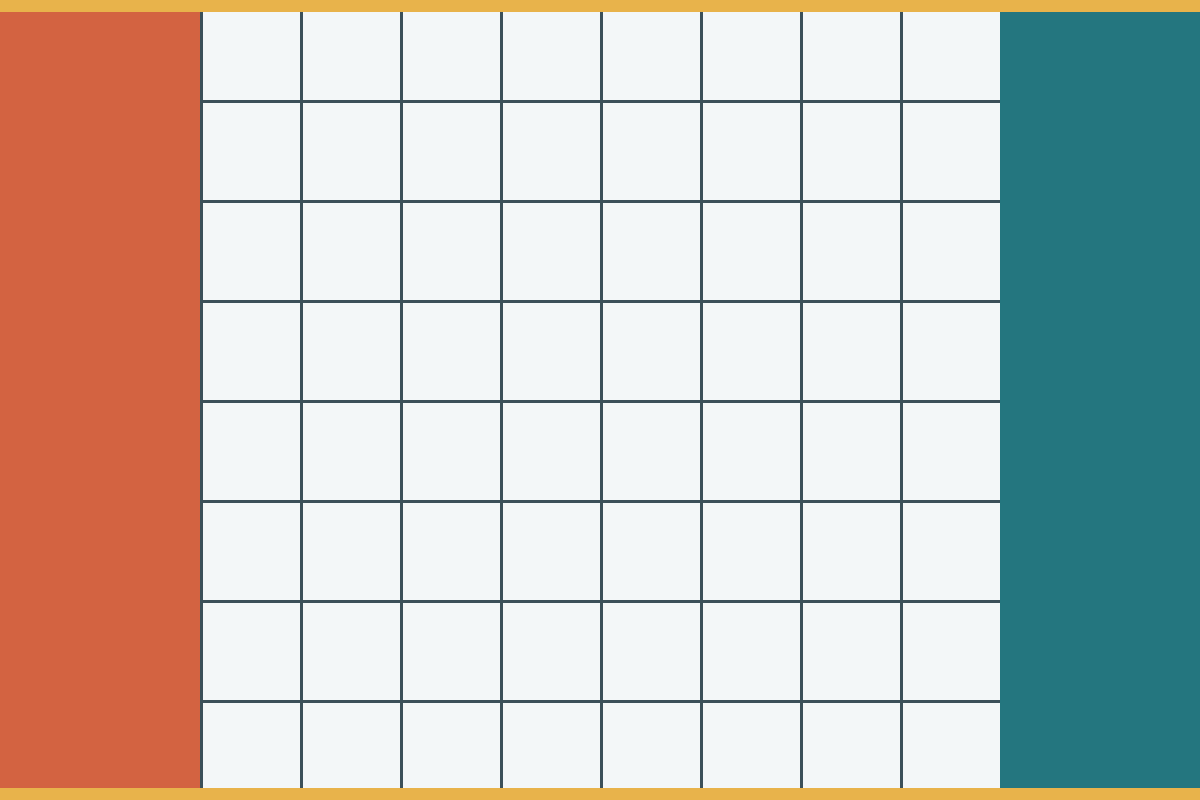
Our generated 1,200 × 800 pixel ruler contains a grid and colored edge bands so you can see the crop. It is a CC0 test image. These deterministic geometry results were checked on 5 September 2026; they are calculations, not physical print tests.
| Print area | Placement | Effective PPI | Target |
|---|---|---|---|
| 6 × 4 inches | Whole image | 200 | Below 300 |
| 4 × 4 inches | Whole image, margins | 300 | Meets 300 |
| 4 × 4 inches | Center crop, ⅓ area lost | 200 | Below 300 |
| 10.16 × 6.773333333333333 cm | Whole image | 300 | Meets 300 |
Inputs, results and source-file SHA-256 · Formula, rounding policy, method and sample license. Download the image, choose it above, and enter a row’s print settings to reproduce the result.
Is 300 PPI the right target?
300 PPI is a common target for detailed prints viewed closely. Large prints seen from a distance can work at a lower pixel density. Ask your print provider for its requirements and set that target here. Adobe: resolution specifications for printing (updated 23 February 2026; checked 5 September 2026).
PPI describes image pixels per inch. Printer DPI describes ink or toner dots and is a different measurement. A DPI label change or upscaling may change a file’s reported settings or pixel count; it does not establish that previously missing detail has been recovered.
Print sizes you use
Try photo sizes, A4, A3, US Letter, or your own measurements in inches, centimeters, or millimeters.
Account for the crop
Compare filling the paper with keeping the whole image. The preview shows which edges are lost or where margins remain.
See the calculation
Use original pixels and the actual image area on paper. Download the inputs and calculation as a JSON report.