Resize an image to KB and pixels

Fit a photo or signature to an upload limit. Set the maximum KB and any required pixel dimensions, then check the finished JPG before downloading.

Or drop a JPG, PNG, WebP, AVIF, or BMP.

Up to 20 MB and 16 million pixels.

{{ imageFile.name }}
{{ sourceWidth }} × {{ sourceHeight }} px · {{ formatBytes(imageFile.size) }}
Set your upload requirements

1 KB = 1,000 bytes. The result shows the exact byte count.

Enter both for exact dimensions. Leave both blank to allow smaller dimensions if needed.

JPG output. Transparent areas become white. Review cropping and signature strokes before using the file.

{{ loading ? 'Reading your image…' : 'Testing JPG settings against your requirements…' }}

Your upload-ready check

A JPG with size and pixel checks

Choose your photo or signature, enter the form’s requirements, and compare them with the finished file.

  • Maximum size or a minimum–maximum range
  • Exact dimensions without stretching
  • A clear result when a requirement cannot be met

{{ result ? (result.metRequirements ? 'Your size and pixel requirements are met' : 'These requirements were not all met') : 'Original image' }}

JPG · {{ result.width }} × {{ result.height }} px · {{ formatBytes(result.blob.size) }}
  • {{ result.checks.size.passed ? '✓' : '✕' }} File size: {{ sizeRequirementLabel }}
  • {{ result.checks.dimensions.passed ? '✓' : '✕' }} Pixels: {{ dimensionsRequirementLabel }}

{{ result.reason }}

Check that the image is legible and correctly framed. These file checks do not guarantee acceptance by a form.

Select Resize and check to preview the JPG and see its measured size.

How to resize a photo or signature to a KB limit

  1. Choose the image. Start from a clear original. Convert an iPhone HEIC photo with HEIC to JPG first.
  2. Copy the form’s requirements. Set the maximum KB, any minimum, and both pixel dimensions if specified. Choose white padding to keep the whole image, or center crop to fill the frame.
  3. Resize and check. Review the encoded JPG, its byte count, and its pixel dimensions. Inspect small lettering and signature strokes.
  4. Download the JPG. Upload that new file to the form. If the file checks pass but the form rejects it, check its format, framing, live-photo, and other instructions.

Read the photo and signature upload guide for source-checked examples and help with conflicting requirements.

Pixels and KB measure different things

Pixels describe the image’s width and height. KB describes the encoded file’s size. Two images at 300 × 300 pixels can have different byte counts because their content and JPEG quality differ. A maximum of 20 KB means the result must fit below a ceiling; it does not need to be exactly 20 KB.

This tool checks actual JPEG bytes after encoding. When exact dimensions are set, they stay fixed. When they are blank, the tool can reduce dimensions to try to fit the maximum. If no tested settings meet a minimum–maximum range, it reports that result instead of adding filler bytes.

Measured examples you can reproduce

We ran these generated test images through this tool’s sizing engine on 5 September 2026 in Chrome 152.0.7977.83. Each result was decoded again to check its dimensions. These are synthetic marks and a color chart, not real application photos or signatures. Different browsers can encode different byte sizes.

Actual JPG output, using white padding and decimal KB. A failed size check remains a failed result.
SourceRequirementsMeasured JPGResult
Generated pen strokes300 × 80 px
Maximum 20,000 bytes
300 × 80 px
14,308 bytes
Both met
Download JPG
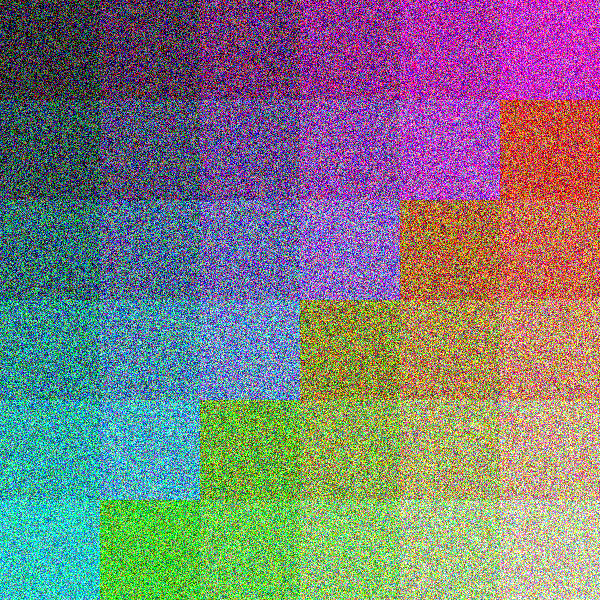
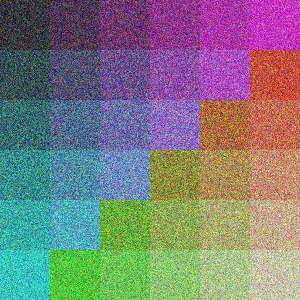
Detailed color chart300 × 300 px
Maximum 100,000 bytes
300 × 300 px
94,178 bytes
Both met
Download JPG
Same color chart300 × 300 px
Maximum 100 bytes
300 × 300 px
1,426 bytes
Size not met
Inspect failed attempt

The 100-byte example is deliberately impractical: even a heavily degraded JPG exceeded the limit, while the requested pixels stayed fixed. Passing bytes and pixels in the other examples does not establish legibility or portal acceptance. Full measurements and settings · Method and reusable sample files.

Your file-size limit

Choose 20, 50, 100, or 200 KB, or enter another maximum. Add a minimum if the form asks for a range.

Exact pixels when needed

Enter both width and height to keep the result at those dimensions. Leave them blank to allow smaller dimensions.

Choose what fits

Keep the whole image with white padding, or fill the frame with a center crop. Neither option stretches the image.

Check the actual result

See the encoded JPG in bytes, KB, and pixels. A missed requirement is shown clearly.

Questions about resizing to KB

Choose an image and select a maximum-size preset, or type your own KB limit. Enter pixel dimensions only if required, then select Resize and check. The tool tries JPEG quality settings and can reduce dimensions when you leave them blank.

On this tool, 1 KB means 1,000 bytes, so a 20 KB maximum means no more than 20,000 bytes. Some forms use 1,024 bytes per KB instead. Check the portal instructions; the result shows an exact byte count. A maximum is a ceiling, not a promise to produce exactly that many bytes.

Yes. Enter a minimum when the form asks for a range such as 10–20 KB. If no tested JPEG encoding fits that range, the result is marked as not met. The tool never appends meaningless bytes to make a small file look larger.

With exact width and height set, the tool keeps those pixels and reports a missed file-size requirement. It never silently reduces fixed dimensions. You can review the best attempt, choose a simpler source, or change the requirements only if your upload form allows it.

No. This tool checks file size and dimensions, not identity, signature validity, framing, background, or application eligibility. Review the preview and the current instructions for your specific form. A live-photo or certified-photo step needs the required capture process.

The result is one JPG. Transparent areas become white, animated WebP or AVIF uses one decoded frame, and embedded metadata is not preserved. JPEG compression can remove detail; inspect small text and signature strokes before downloading.
(function() { const title = document.querySelector('h1'); const actionRegion = document.querySelector('.action-container, .action-body'); if (!title || !actionRegion || title.querySelector('.tool-hero-mark')) return; const path = window.location.pathname.replace(/\/$/, ''); if (!path || path === '/' || path.startsWith('/converters') || path === '/about' || path === '/contact' || path === '/support' || path === '/privacy-policy') { return; } const lowerKey = path.replace(/^\/(video|audio)\//, '').replace(/^\//, '').toLowerCase(); if (!lowerKey) return; let category = 'image'; if (path.startsWith('/video/')) category = 'video'; if (path.startsWith('/audio/')) category = 'audio'; const isUtility = lowerKey.includes('ascii') || lowerKey === 'check-my-file' || lowerKey === 'prepare-for-ai' || lowerKey.includes('resizer') || lowerKey.includes('metadata') || lowerKey.includes('compress') || lowerKey.includes('base64') || lowerKey.includes('background') || lowerKey.includes('crop') || lowerKey.includes('watermark') || lowerKey.includes('remove-pages') || lowerKey.includes('unlock') || lowerKey.includes('protect') || lowerKey.includes('editor') || lowerKey.includes('excel') || lowerKey.includes('upscale') || lowerKey.includes('merge') || lowerKey.includes('split') || lowerKey.includes('ocr') || lowerKey.includes('sign') || lowerKey.includes('trim') || lowerKey.includes('favicon'); if (category === 'image' && isUtility) category = 'tool'; const labelMap = { jpg: 'JPG', jpeg: 'JPEG', png: 'PNG', gif: 'GIF', svg: 'SVG', pdf: 'PDF', heic: 'HEIC', jfif: 'JFIF', webp: 'WEBP', bmp: 'BMP', ico: 'ICO', word: 'DOCX', docx: 'DOCX', excel: 'Excel', xls: 'XLS', xlsx: 'Excel', mp4: 'MP4', mov: 'MOV', avi: 'AVI', mp3: 'MP3', aac: 'AAC', flac: 'FLAC', wav: 'WAV', webm: 'WEBM', cr2: 'CR2', arw: 'ARW', nef: 'NEF', raf: 'RAF' }; const formatLabel = (value) => labelMap[value] || value.toUpperCase(); function getFormatMeta(key) { if (key === 'check-my-file') { return {primary: 'Check', secondary: 'File', connector: 'dot'}; } if (key === 'prepare-for-ai') { return {primary: 'Prepare', secondary: 'AI', connector: 'dot'}; } const directMatch = key.match(/^([a-z0-9]+)-to-([a-z0-9]+)$/); const convertMatch = key.match(/^convert-([a-z0-9]+)-to-([a-z0-9]+)$/); const convertToMatch = key.match(/^convert-to-([a-z0-9]+)$/); if (directMatch) { return {primary: formatLabel(directMatch[1]), secondary: formatLabel(directMatch[2]), connector: 'arrow'}; } if (convertMatch) { return {primary: formatLabel(convertMatch[1]), secondary: formatLabel(convertMatch[2]), connector: 'arrow'}; } if (convertToMatch) { return {primary: 'Any', secondary: formatLabel(convertToMatch[1]), connector: 'arrow'}; } if (key.startsWith('compress-')) { return {primary: 'Compress', secondary: formatLabel(key.replace('compress-', '')), connector: 'dot'}; } if (key.includes('base64') && key.includes('decode')) { return {primary: 'Base64', secondary: 'Decode', connector: 'dot'}; } if (key.startsWith('base64-to-')) { return {primary: 'Base64', secondary: formatLabel(key.replace('base64-to-', '')), connector: 'arrow'}; } if (key.includes('-to-base64')) { const from = key.replace('convert-', '').replace('-to-base64', ''); return {primary: formatLabel(from), secondary: 'Base64', connector: 'arrow'}; } if (key.includes('base64')) { return {primary: 'Base64', secondary: 'Encode', connector: 'dot'}; } if (key.includes('ascii')) { return {primary: 'ASCII', secondary: 'Art', connector: 'dot'}; } if (key.includes('resizer')) { return {primary: 'Resize', secondary: 'Pixels', connector: 'dot'}; } if (key.includes('remove-pages')) { return {primary: 'Remove', secondary: 'Pages', connector: 'dot'}; } if (key.includes('crop') && key.includes('pdf')) { return {primary: 'Crop', secondary: 'PDF', connector: 'dot'}; } if (key.includes('pdf-editor')) { return {primary: 'Edit', secondary: 'PDF', connector: 'dot'}; } if (key.includes('unlock')) { return {primary: 'Unlock', secondary: 'PDF', connector: 'dot'}; } if (key.includes('protect')) { return {primary: 'Protect', secondary: 'PDF', connector: 'dot'}; } if (key.includes('pdf') && key.includes('metadata')) { return {primary: 'Clean', secondary: 'Metadata', connector: 'dot'}; } if (key.includes('metadata')) { return {primary: 'EXIF', secondary: 'Clean', connector: 'dot'}; } if (key.includes('background')) { return {primary: 'Remove', secondary: 'Background', connector: 'dot'}; } if (key.includes('crop')) { return {primary: 'Crop', secondary: 'Image', connector: 'dot'}; } if (key.includes('watermark')) { return {primary: 'Watermark', secondary: 'Image', connector: 'dot'}; } if (key.includes('upscale')) { return {primary: 'Upscale', secondary: 'Image', connector: 'dot'}; } if (key.includes('merge')) { return {primary: 'Merge', secondary: 'PDF', connector: 'dot'}; } if (key.includes('split')) { return {primary: 'Split', secondary: 'PDF', connector: 'dot'}; } if (key.includes('ocr')) { return {primary: 'OCR', secondary: 'PDF', connector: 'dot'}; } if (key.includes('sign')) { return {primary: 'Sign', secondary: 'PDF', connector: 'dot'}; } if (key.includes('trim')) { return {primary: 'Trim', secondary: 'Video', connector: 'dot'}; } return {primary: 'Tool', secondary: '', connector: 'dot'}; } function getIconClass(key, categoryName) { const toFormat = key.split('-to-')[1]; if (key === 'check-my-file') return 'bi-file-earmark-check'; if (key === 'prepare-for-ai') return 'bi-ui-checks-grid'; if (key.includes('ascii')) return 'bi-textarea-t'; if (key.includes('resizer')) return 'bi-aspect-ratio'; if (key.includes('metadata')) return 'bi-shield-slash'; if (key.includes('compress')) return 'bi-file-earmark-zip'; if (key.includes('base64')) return 'bi-journal-code'; if (key.includes('background')) return 'bi-scissors'; if (key.includes('crop')) return 'bi-crop'; if (key.includes('watermark')) return 'bi-type'; if (key.includes('remove-pages')) return 'bi-trash'; if (key.includes('unlock')) return 'bi-unlock'; if (key.includes('protect')) return 'bi-lock'; if (key.includes('editor')) return 'bi-pencil-square'; if (key.includes('excel')) return 'bi-file-earmark-spreadsheet'; if (key.includes('upscale')) return 'bi-arrows-angle-expand'; if (key.includes('merge')) return 'bi-files'; if (key.includes('split')) return 'bi-scissors'; if (key.includes('ocr')) return 'bi-file-earmark-text'; if (key.includes('sign')) return 'bi-pen'; if (key.includes('trim')) return 'bi-scissors'; if (toFormat) { switch (toFormat) { case 'jpg': case 'jpeg': return 'bi-filetype-jpg'; case 'png': return 'bi-filetype-png'; case 'gif': return 'bi-filetype-gif'; case 'svg': return 'bi-filetype-svg'; case 'pdf': return 'bi-filetype-pdf'; case 'word': case 'docx': return 'bi-file-earmark-word'; case 'xls': case 'xlsx': case 'excel': return 'bi-file-earmark-spreadsheet'; case 'heic': return 'bi-filetype-heic'; case 'webp': return 'bi-filetype-webp'; case 'bmp': return 'bi-filetype-bmp'; case 'ico': return 'bi-file-image'; case 'mp4': return 'bi-filetype-mp4'; case 'mov': return 'bi-filetype-mov'; case 'mp3': return 'bi-filetype-mp3'; case 'wav': return 'bi-filetype-wav'; case 'avi': return 'bi-filetype-avi'; default: return 'bi-file-earmark-image'; } } if (categoryName === 'video') return 'bi-film'; if (categoryName === 'audio') return 'bi-music-note-beamed'; if (categoryName === 'image') return 'bi-file-earmark-image'; return 'bi-gear'; } const formatMeta = getFormatMeta(lowerKey); const connectorIcon = formatMeta.connector === 'arrow' ? 'bi-arrow-right-short' : 'bi-dot'; const iconClass = getIconClass(lowerKey, category); const mark = document.createElement('span'); mark.className = `tool-hero-mark converter-mark converter-mark--${category}`; const iconWrap = document.createElement('span'); iconWrap.className = 'converter-mark__icon'; const icon = document.createElement('i'); icon.className = iconClass; iconWrap.appendChild(icon); mark.appendChild(iconWrap); const formatWrap = document.createElement('span'); formatWrap.className = 'converter-format'; const primary = document.createElement('span'); primary.className = 'format-pill'; primary.textContent = formatMeta.primary; formatWrap.appendChild(primary); if (formatMeta.secondary) { const connector = document.createElement('span'); connector.className = 'format-connector'; const connectorIconEl = document.createElement('i'); connectorIconEl.className = connectorIcon; connector.appendChild(connectorIconEl); formatWrap.appendChild(connector); const secondary = document.createElement('span'); secondary.className = 'format-pill format-pill--secondary'; secondary.textContent = formatMeta.secondary; formatWrap.appendChild(secondary); } mark.appendChild(formatWrap); title.classList.add('tool-hero-title'); title.prepend(mark); })();